Fast, reliable, and secure file transfer among ACCESS resources or between ACCESS and your campus, lab server, or personal computer.
How Globus helps with ACCESS
Globus handles what scp and rsync can’t — reliable, background transfer of large data between any two systems, with built-in sharing and automation.
- Move data between ACCESS resources, your campus cluster, a lab server, or home. Handles both terabyte-scale files and thousands of small files equally well.
- Share data with colleagues at any institution — no ACCESS account required on their end. You control what is shared and with whom.
- Synchronize copies between campus and ACCESS, keeping data current in all locations.
- Automate data workflows with the Globus CLI, Python SDK, or REST APIs.
Data sharing, managed task orchestration, and other premium Globus features are available to all ACCESS-allocated researchers at no extra cost under an ACCESS-wide subscription.
Globus Compute
Goes further — execute Python functions directly on ACCESS resources from your own scripts, without submitting a Slurm job. Learn more
Get set up to use Globus with ACCESS
New to Globus
-
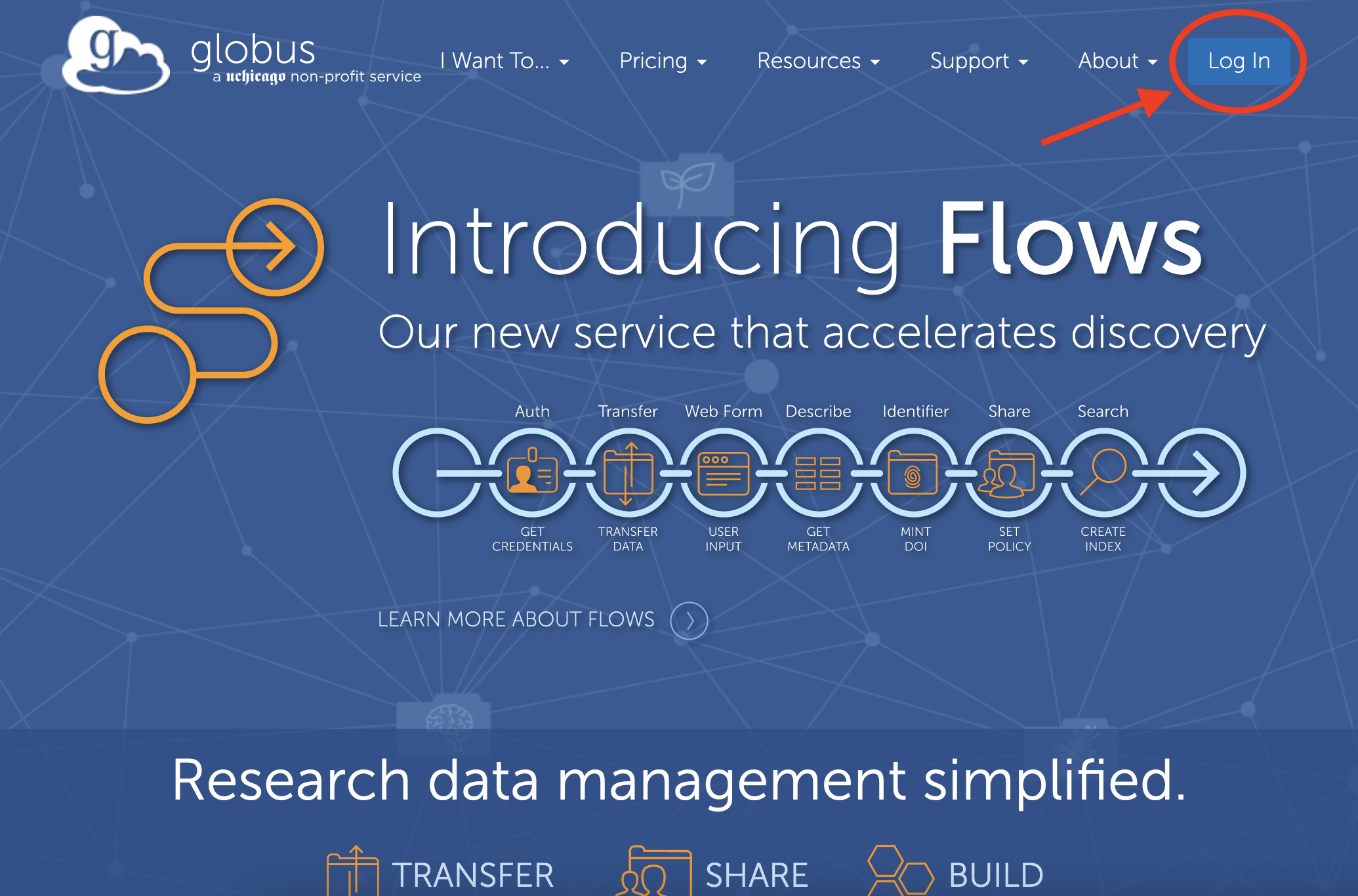
Go to globus.org and click Log In in the upper-right corner.
-
Search for ACCESS and log in. Type
ACCESSto find ACCESS-CI and log in with your credentials. Globus will link your ACCESS-CI identity to your existing account.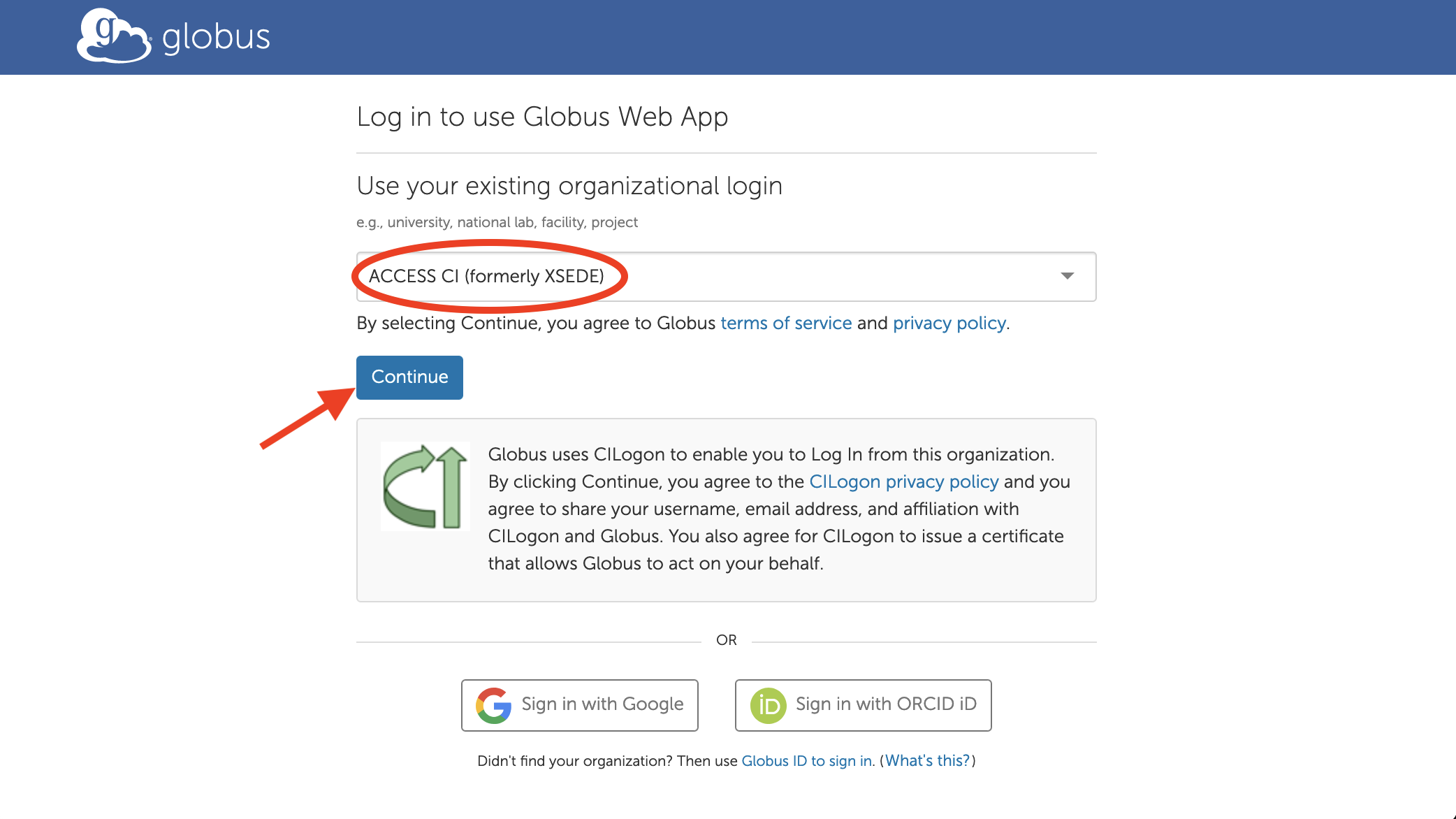
-
Log in with your ACCESS-CI username and password.
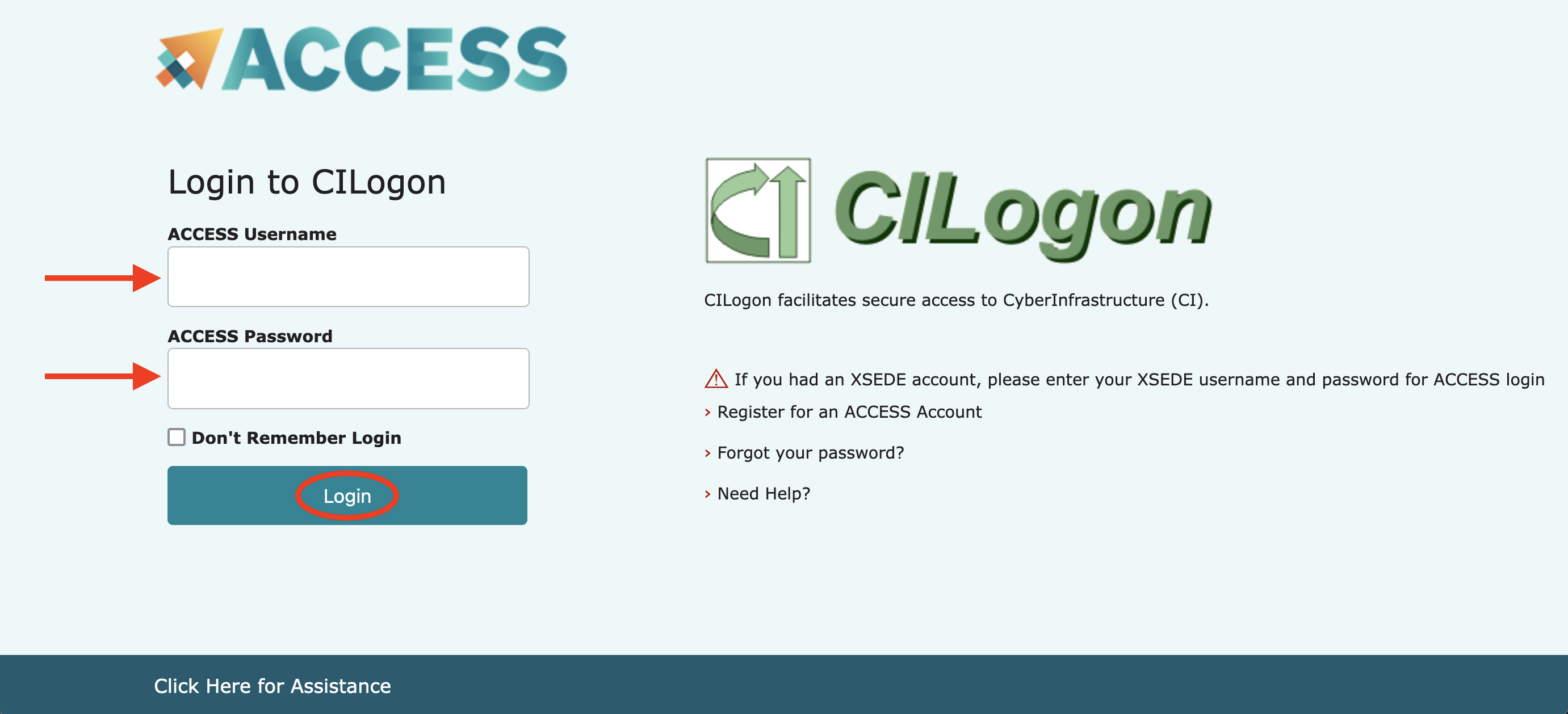
- Complete Duo two-factor authentication You'll be returned to Globus and ready to go.
Already use Globus
-
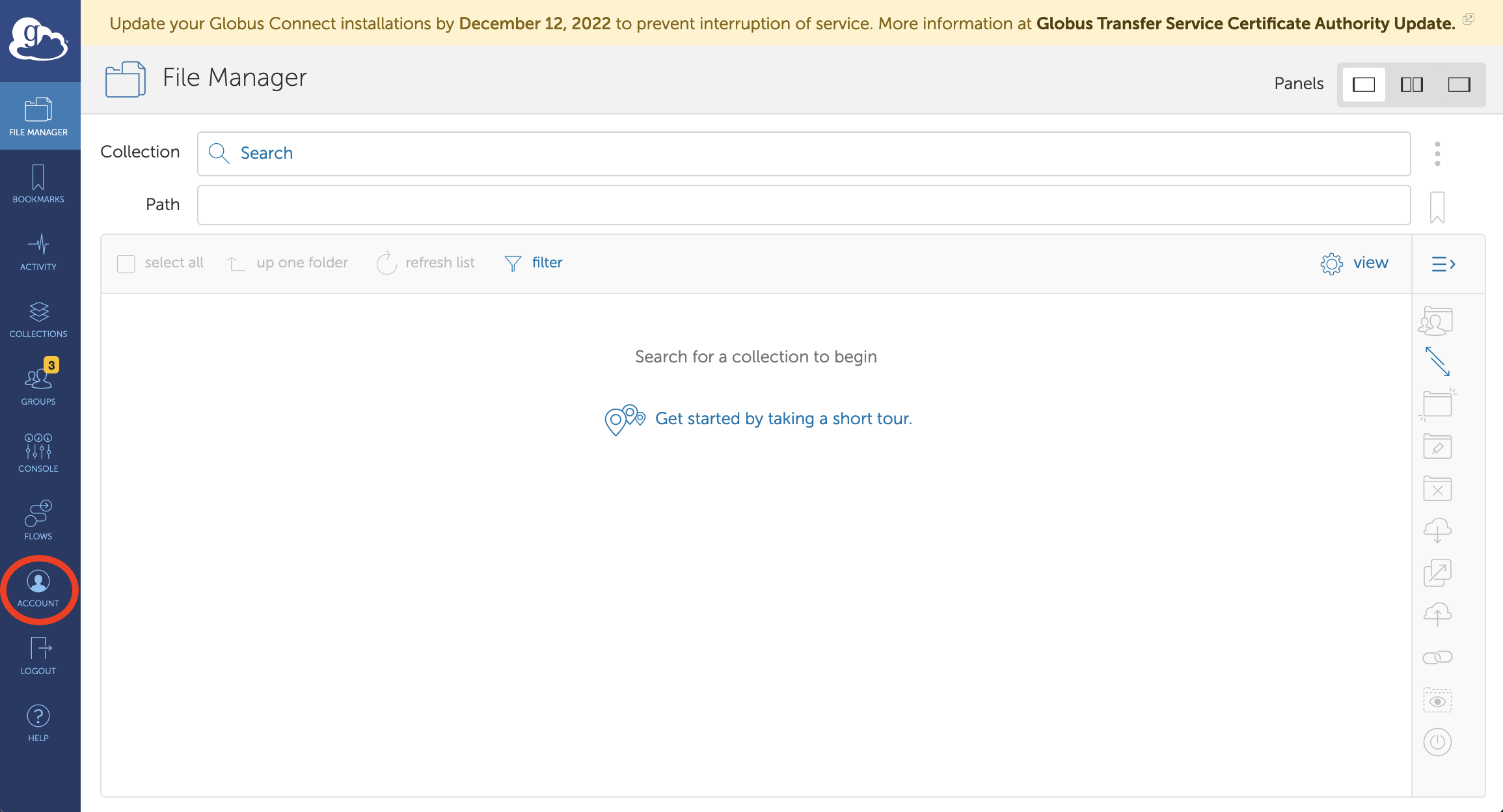
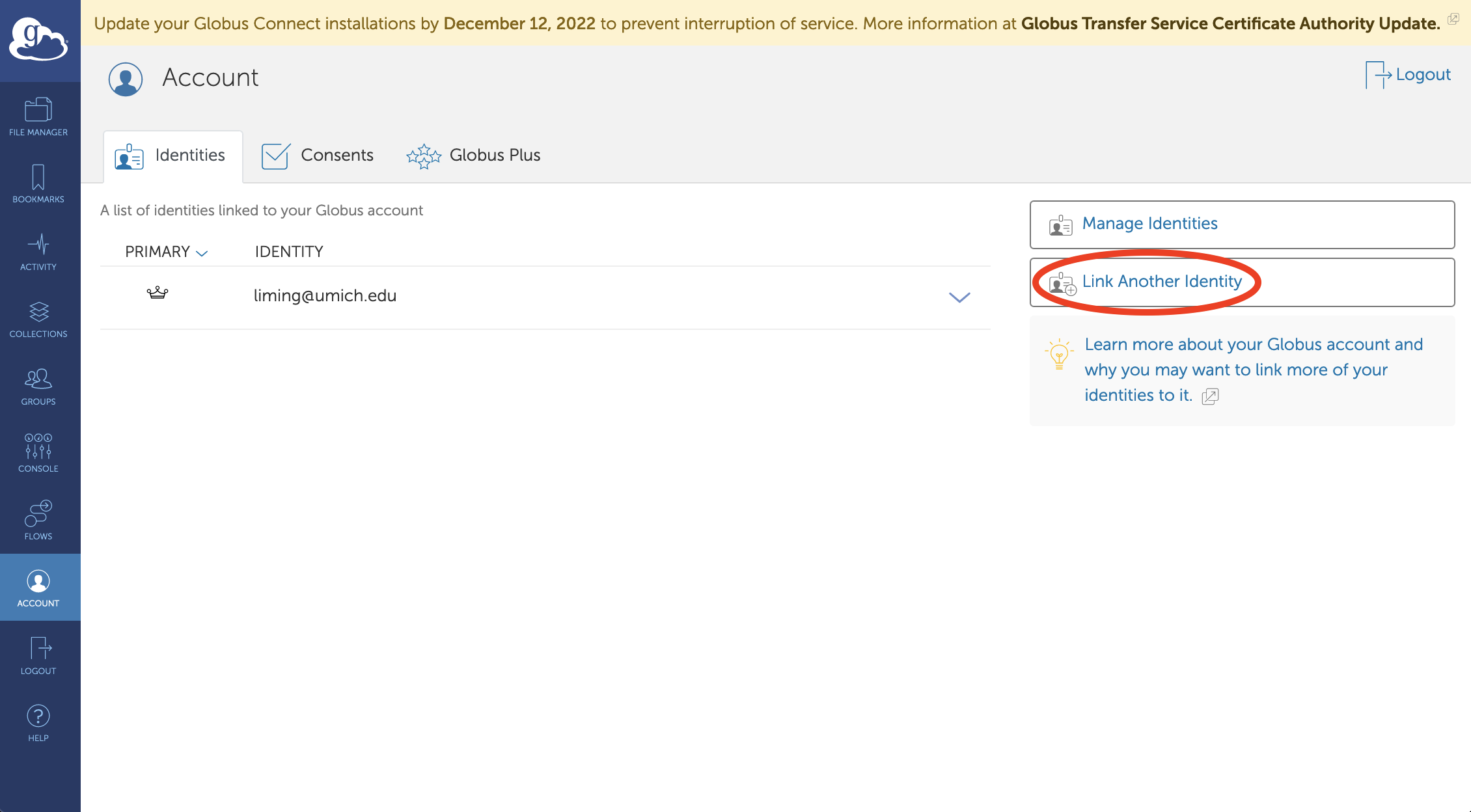
Open the Globus File Manager and click the Account icon on the far-left icon bar.
-
Click "Link Another Identity." Globus shows all identities linked to your account.
-
Search for ACCESS and log in. Type
ACCESSto find ACCESS-CI and log in with your credentials. Globus will link your ACCESS-CI identity to your existing account
Further reading
ACCESS Documentation
- Upload, download, or move files on ACCESS
- Share data on ACCESS systems
- Synchronize data between your campus and ACCESS
- Use Globus in scripts and applications
- Use Globus Compute function-as-a-service on ACCESS
- Availability of Globus features on ACCESS resources
Globus Documentation